Cookie Policy

By clicking on “Accept all cookies”, you consent to the storage of cookies on your device and the associated processing of your personal data by Sushi Labs and our partners to improve website navigation, analyse website usage and conduct surveys. You can revoke your consent at any time via the “Manage cookie preferences” button.

For further information on our data processing and cookies, please visit our and our .

  • Academy
  • Blog
  • FAQ
  • Product Tutorial

    Tutorial: Sushi Bar
    Tutorial: SushiSwap Referral Program
    Tutorial: Trading Tax Tokens on Sushi
    Tutorial: SushiSwap Referral Program
    Tutorial: Sushi Bar
    Tutorial: SushiSwap Referral Program
    Tutorial: Trading Tax Tokens on Sushi

    Welcome to the Sushi Referral Program! 🍣 To help you get started, we've put together this simple tutorial so you can start earning rewards by referring your friends and making swaps today!

    How to Get Started with the Sushi Referral Program

    1. Go to the Landing Page
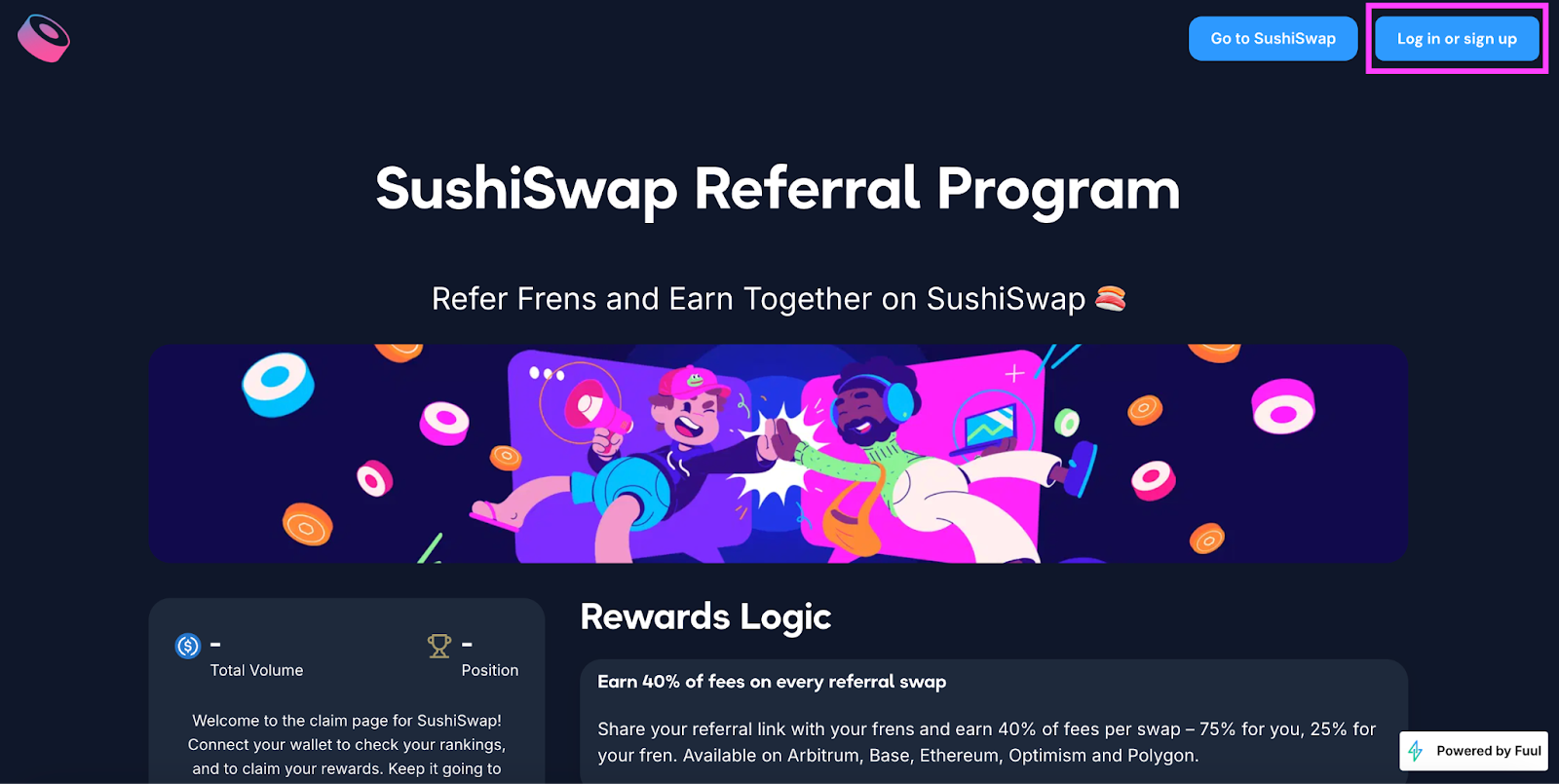
      Visit the Sushi Referral Program landing page: https://app.fuul.xyz/incentives/sushiswap
    1. Connect Your Wallet
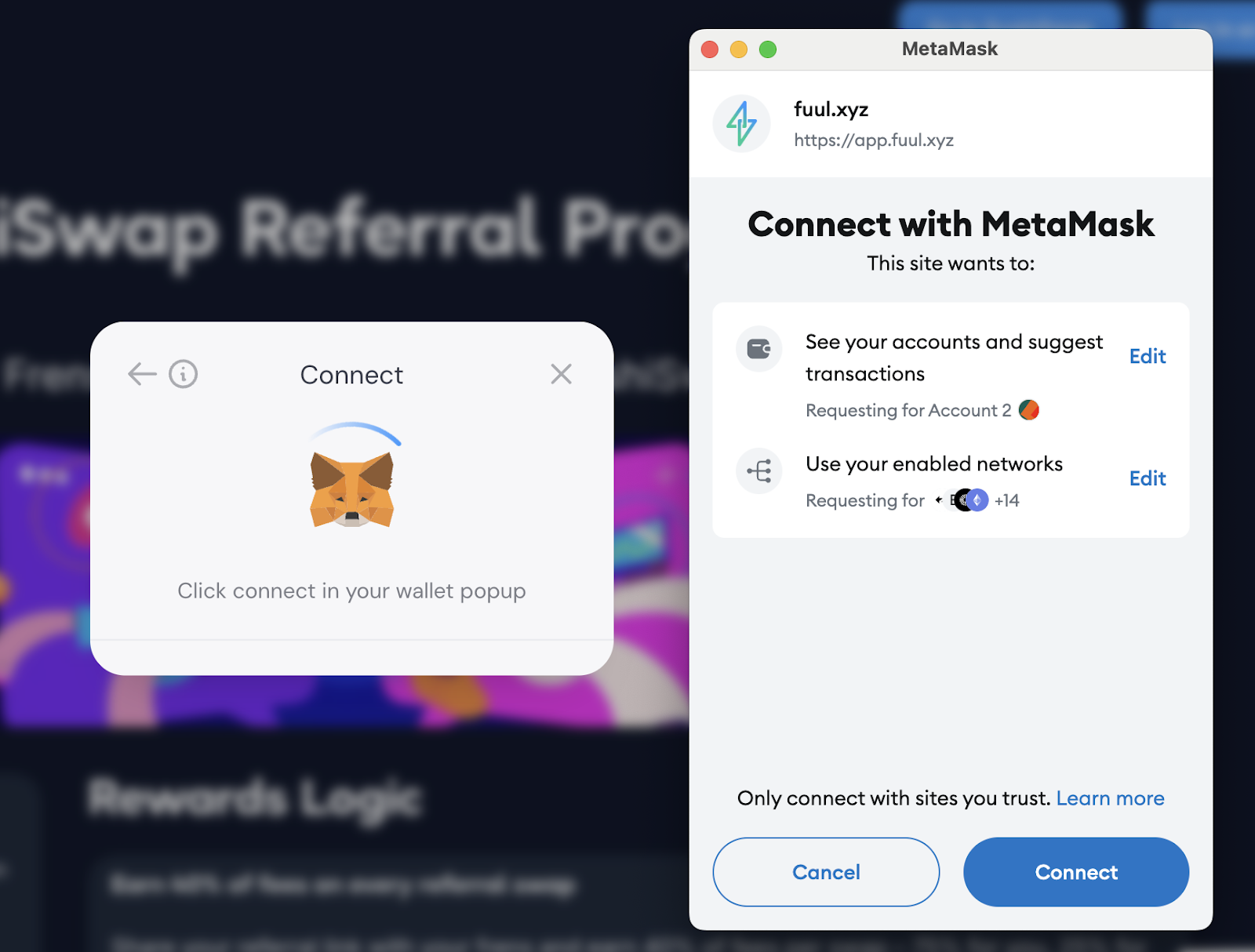
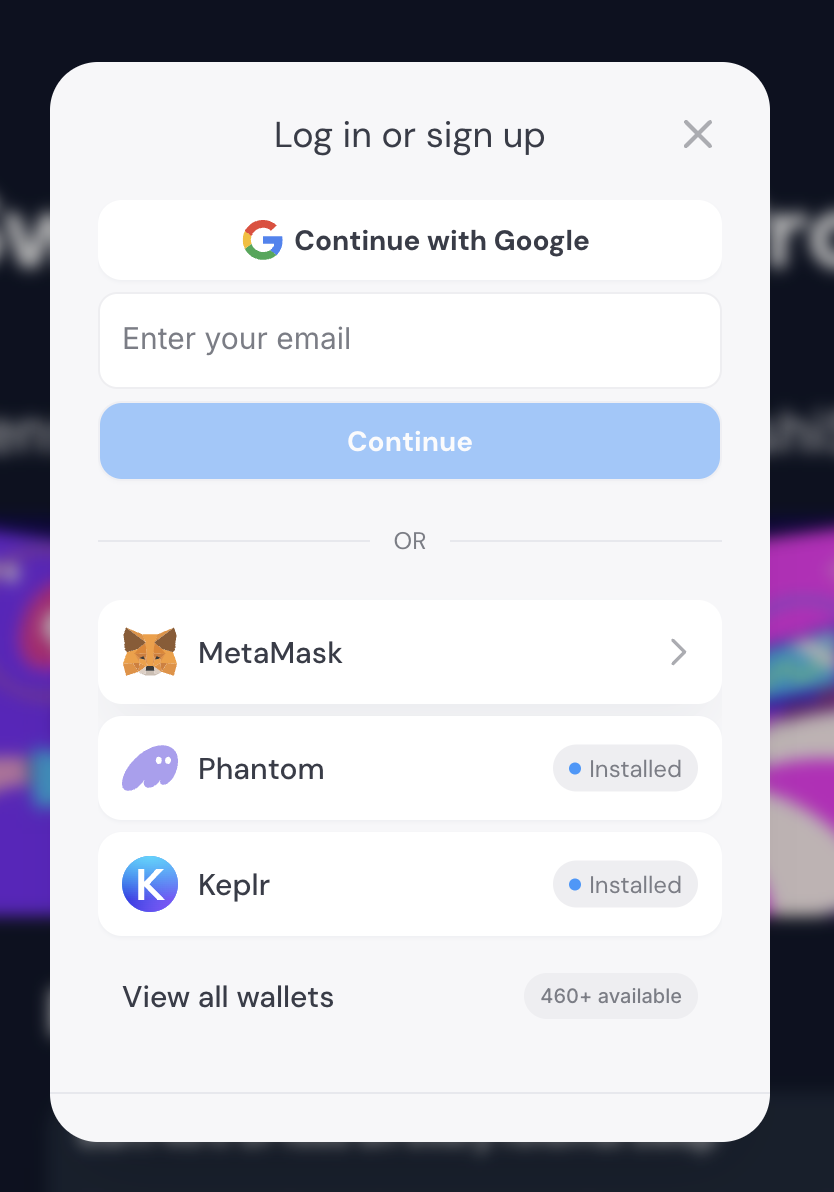
      Click on the "Connect Wallet" button on the page. You can use MetaMask, Phantom, Keplr, or other supported wallets. Make sure your wallet is connected to track your referrals.
    1. Find Your Referral Code
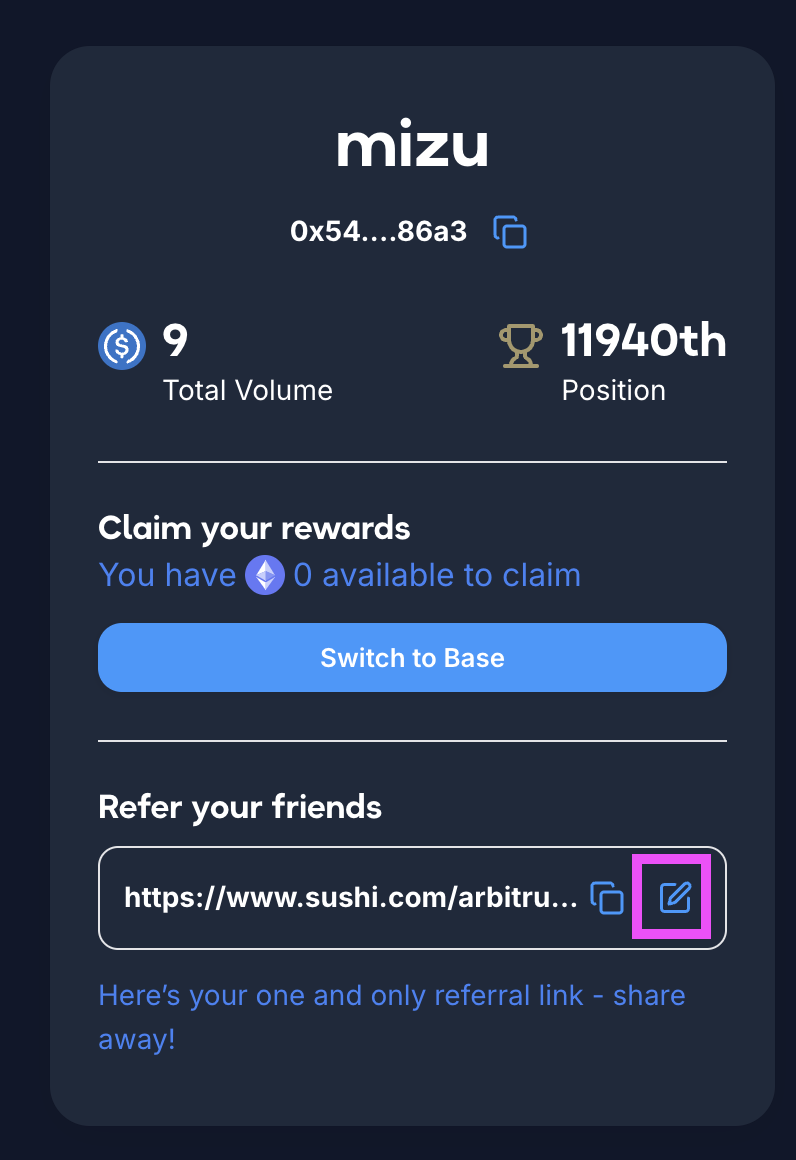
      Once your wallet is connected, you'll see your referral code on the page. If you want to create a unique referral code, simply click the option to create one and personalize it.
    1. Copy and Share Your Referral Link
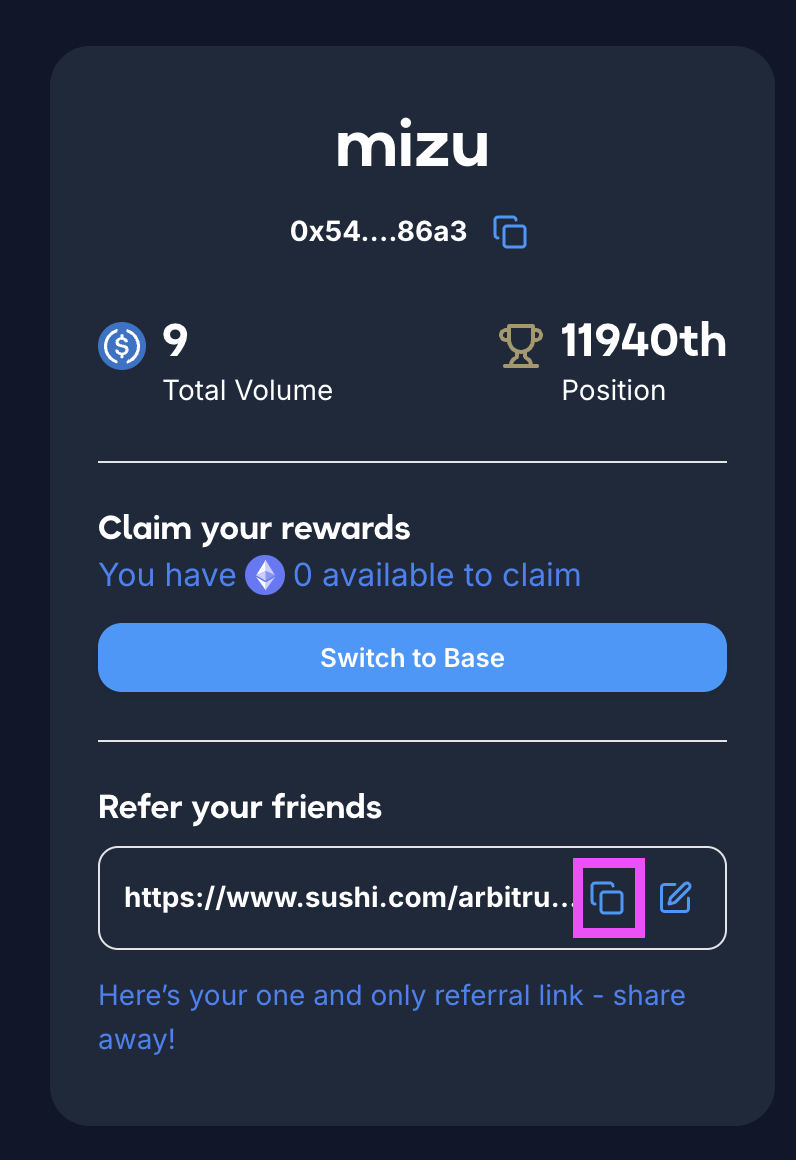
      Copy your referral link and start sharing it with your friends, on social media, or anywhere you'd like. When someone uses your referral link to make a swap, you'll earn rewards!
    1. Claim Rewards
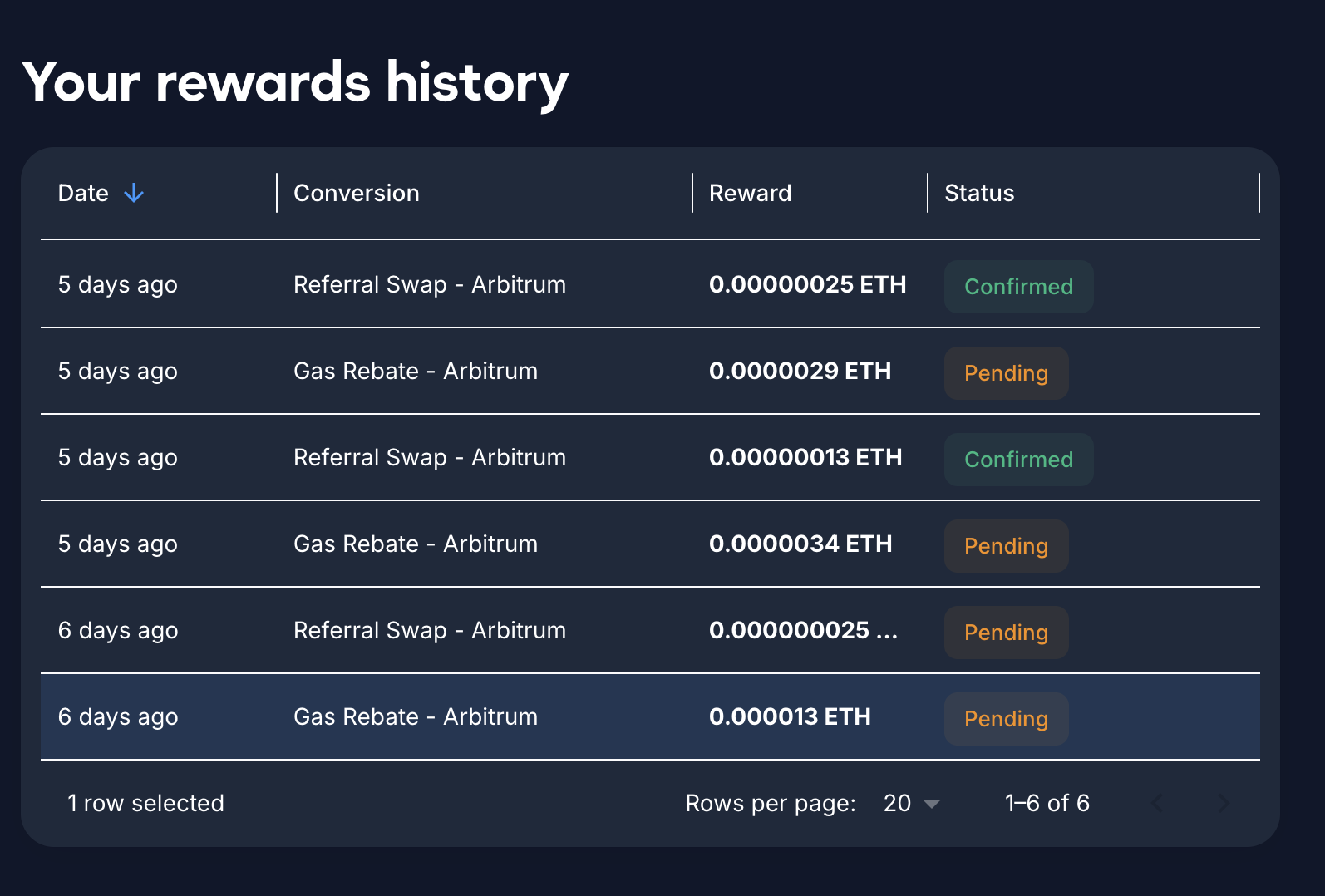
      You can track your gas rebates under the “Your rewards history” section. The gas rebates will be shown as "Pending", and only the eligible ones (as mentioned in the FAQ #7) will be updated to "Confirmed" every Monday for rewards claiming.

    For Referees:

    1. Paste the Referral Code
      As a referee, you'll need to paste the referral code in your browser. You'll see the URL with ?referrer=yourreferralname in the link.
    1. Sign Your Wallet
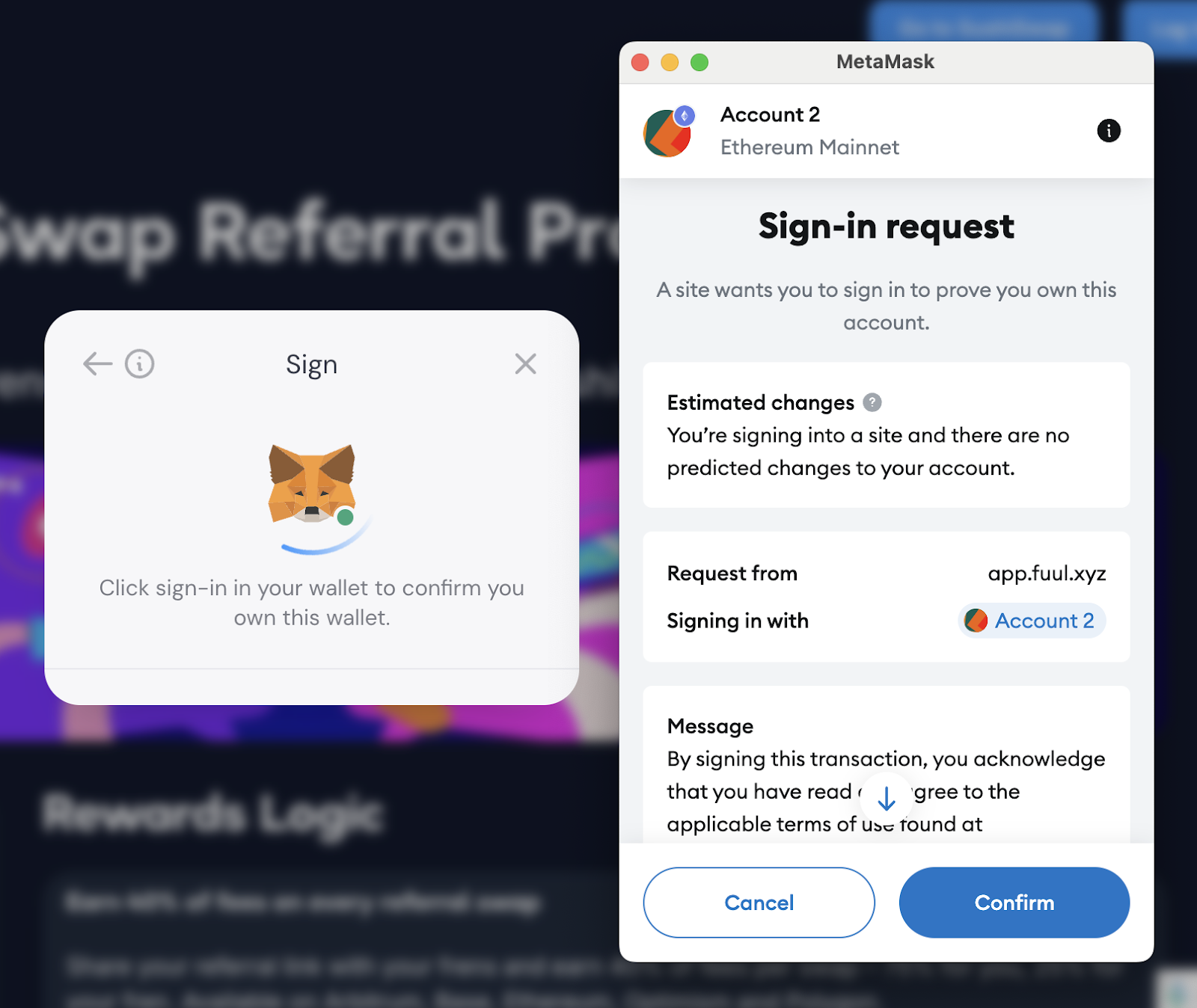
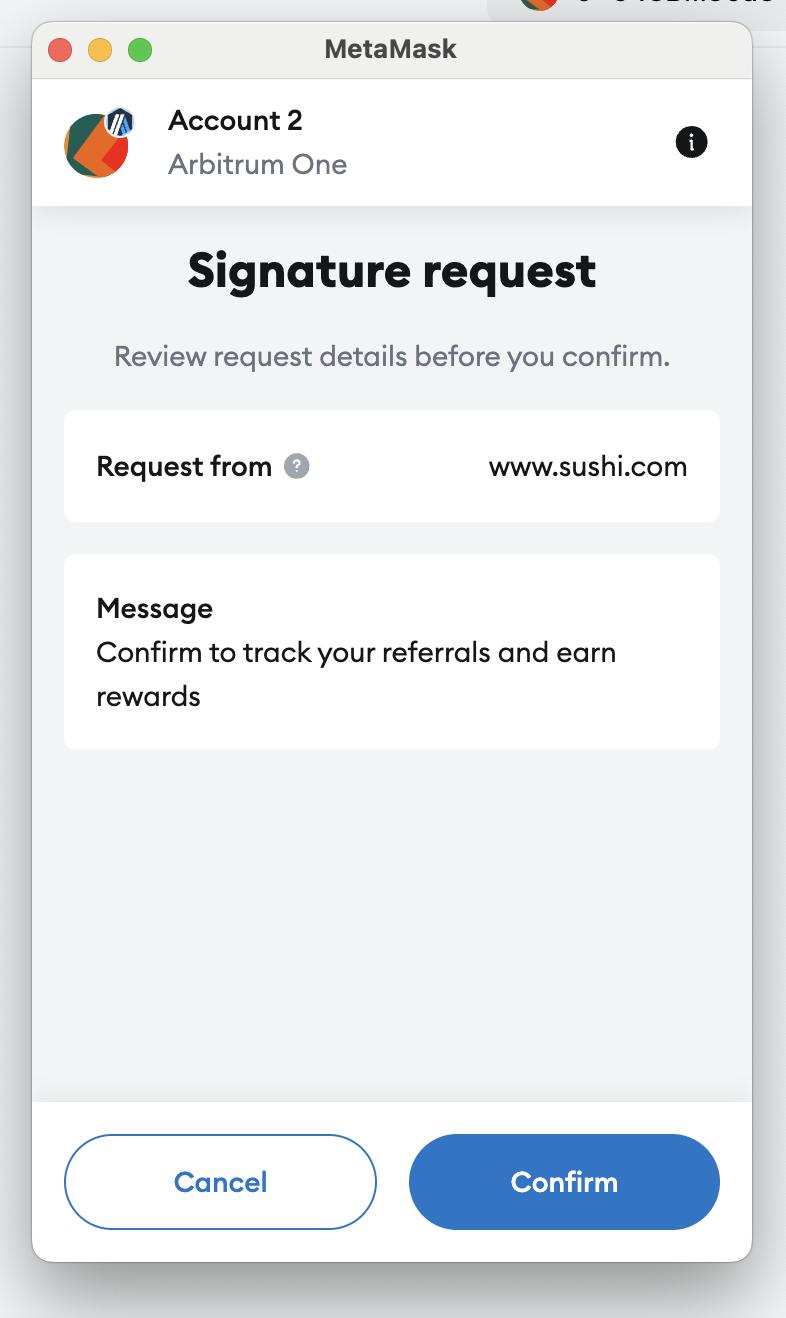
      After pasting the referral code, you will need to sign your wallet to start tracking your referrals. This action will ensure that your trades and rewards are recorded properly. You will only have to sign this once and our system will be tracking your trades from there.

    That's it! Now you're ready to start earning rewards on SushiSwap by referring others or using a referral code. For more information, refer to the FAQ section at the bottom of the program page, or please feel free to reach out on Discord or Twitter.Happy swapping and referring! 🍣💸

    Welcome to the Sushi Referral Program! 🍣 To help you get started, we've put together this simple tutorial so you can start earning rewards by referring your friends and making swaps today!

    How to Get Started with the Sushi Referral Program

    1. Go to the Landing Page
      Visit the Sushi Referral Program landing page: https://app.fuul.xyz/incentives/sushiswap
    1. Connect Your Wallet
      Click on the "Connect Wallet" button on the page. You can use MetaMask, Phantom, Keplr, or other supported wallets. Make sure your wallet is connected to track your referrals.
    1. Find Your Referral Code
      Once your wallet is connected, you'll see your referral code on the page. If you want to create a unique referral code, simply click the option to create one and personalize it.
    1. Copy and Share Your Referral Link
      Copy your referral link and start sharing it with your friends, on social media, or anywhere you'd like. When someone uses your referral link to make a swap, you'll earn rewards!
    1. Claim Rewards
      You can track your gas rebates under the “Your rewards history” section. The gas rebates will be shown as "Pending", and only the eligible ones (as mentioned in the FAQ #7) will be updated to "Confirmed" every Monday for rewards claiming.
    For Referees:

    1. Paste the Referral Code
      As a referee, you'll need to paste the referral code in your browser. You'll see the URL with ?referrer=yourreferralname in the link.

    1. Sign Your Wallet
      After pasting the referral code, you will need to sign your wallet to start tracking your referrals. This action will ensure that your trades and rewards are recorded properly. You will only have to sign this once and our system will be tracking your trades from there.
    That's it! Now you're ready to start earning rewards on SushiSwap by referring others or using a referral code. For more information, refer to the FAQ section at the bottom of the program page, or please feel free to reach out on Discord or Twitter.Happy swapping and referring! 🍣💸